| Simple If statement does not work in bash script Posted: 16 Jan 2022 08:15 AM PST Im running a .sh file from Windows 10. I open Cygwin app and type sh bashfile.sh to run the file. That does work if I write echo hello World into bashfile.sh, but it does not work if I type this in bashfile.sh: if [ $150 -gt 100 ]; then echo Hello World fi or this: NAME="Alexis" if ["$NAME" = "Alexis"]; then echo "welcome Alexis" fi I copied these two if statement from 2 different sites that teach you linux. To create the bashfile.sh, I simply opened texteditor, wrote the code and saved the file as bashfile.sh |
| How would you determine the unique paths of the source code for "https://www.inlanefreight.com". is it 33 or 34? [closed] Posted: 16 Jan 2022 07:45 AM PST There are two codes that I found. Which is the best and correct one? 2 different answers, 33 and 34 url https://www.inlanefreight.com --insecure > ilf cat ilf | grep "https://www.inlanefreight.com" > ilf.1 cat ilf.1 | tr " " "\n" | sort | grep "inlanefreight.com" | cut -d'"' -f2 | sort | cut -d"'" -f2 | sort | uniq -c > ilf.2 cat ilf.2 | wc -l OR wget --spider --recursive https://www.inlanefreight.com |
| GNOME's touchpad and mouse settings completely changed after installing XFCE4 on Ubuntu 20.04 Posted: 16 Jan 2022 07:32 AM PST On my Ubuntu 20.04 installation, in addition to GNOME, I installed XFCE as an additional DE. After doing this (and not changing any settings) I noticed that my touchpad began behaving differently across all desktop environments. So when switching back to GNOME, the XFCE default touchpad settings are still applied. Specifically: - Natural scrolling can no longer be enabled in the horizontal direction.
- Accelaration feels different to GNOME's preset.
- No more palm rejection when typing.
- Scrolling inertia enabled (pages keep scrolling for a bit after releasing fingers from touchpad)
Things I have tried: - Purging XFCE from my system.
- Reinstalling GNOME
- Reinstalling ubuntu-desktop
- Searching the dconf editor for relevant settings which I've seen other forum posts telling me to change.
- Manual changes using xinput, but these aren't persistent, and I would like to find the exact config file causing these issues.
How can I get back to GNOME's default touchpad settings? |
| No input or output devices found when using vnc remote desktop Posted: 16 Jan 2022 05:13 AM PST When I use a regular monitor, and connect my headphones to pc, they work just fine. But when I use my laptop as a monitor(I use tigervnc configured by this tutorial: https://wiki.archlinux.org/title/TigerVNC) and connect my headphones directly to pc(not to the laptop), headphones are not being detected: how do I fix this? |
| Custom Screensaver (open Terminal in full screen with a command (cmatrix) after a specific time) Posted: 16 Jan 2022 05:09 AM PST I want to make a screensaver with cmatrix in a full screen terminal. -After 5 minutes, in which nothing moved on the display, open terminal in full screen with the command cmatrix. Is this possible? (I use Fedora/Gnome) Greetings Nando |
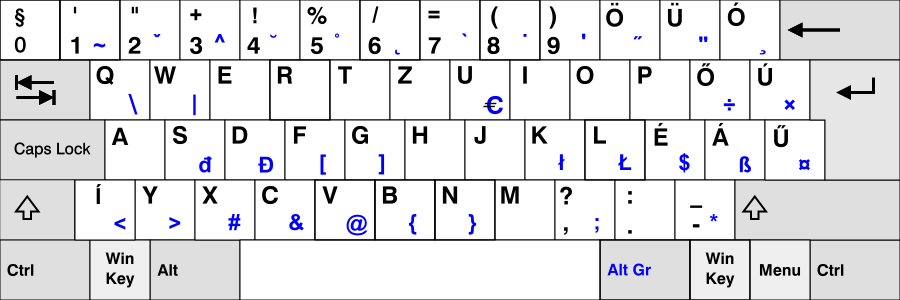
| Why does Ctrl+"special character" on my Hungarian keyboard translate to corresponding English layout keys? Posted: 16 Jan 2022 04:51 AM PST I have a Hungarian keyboard and in the terminal pressing Ctrl and any of öüóéá will produce the character that would be there on the English layout, so 0-=;' respectively in both kitty and gnome-terminal. Ctrl + őúű don't produce characters and seem to do slightly different things in the two emulators. In kitty Ctrl+0 produces a 0 and Ctrl+í produces a <, while in gnome-terminal Ctrl+0 seems to do nothing and Ctrl+í produces an í. I have two related questions: - how to do I figure out what the non-character producing sequences actually do?
- what is the explanation for this behaviour? I would've assumed these non-ascii characters do suffer from this "ctrl-i is tab" type of issues.
(This probably does not have a definite answer and is slightly unrelated as well, but is there a chance that in the future terminals will handle keys "normally" like GUI software? This behaviour gets really irritating when trying to map keys in vim :)) |
| Connect iPad to Linux computer using ethernet over USB C (forming a "mini-network") Posted: 16 Jan 2022 03:50 AM PST I teach a class which requires me to switch between projecting my ipad (handwritten notes) and my computer desktop (code, simulations, etc.). To do this, I installed uxplay which allows me to host an airplay server on my computer, and I have no issues mirroring my ipad on my home network. However, the network at my job is not compatible with airplay, so I need a different solution. I noticed that if I turn off wifi on the laptop and iphone, and then tether my computer to the iphone using USB, my laptop gets an IP address and I can mirror the iphone to the Linux computer (again, using uxplay). Now I'd like to make it so that when the ipad (which does not have LTE and does not have the tethering option) is plugged into the Linux computer, it will obtain a "local" IP address from my laptop (i.e., not on the work network), and I could launch uxplay using this "mini network" and mirror my ipad. I have seen a similar setup for the raspberry pi, but don't have enough knowledge to adapt it to my situation: https://www.hardill.me.uk/wordpress/2019/11/02/pi4-usb-c-gadget/ In particular, I don't understand what the shell script does... |
| Mdadm Raid 5 not starting after reboot (IO Error & Dirty Degraded) Posted: 16 Jan 2022 04:11 AM PST I added a new 3TB Drive to my working Raid5 Array yesterday and left it to rebuild overnight. Today I got the following error in journal: Jan 16 07:49:42 iHugo kernel: INFO: task md0_resync:854 blocked for more than 120 seconds. Jan 16 07:49:42 iHugo kernel: task:md0_resync state:D stack: 0 pid: 854 ppid: 2 flags:0x00004000 Jan 16 07:49:42 iHugo kernel: INFO: task jbd2/md0p1-8:1006 blocked for more than 120 seconds. Jan 16 07:49:42 iHugo kernel: task:jbd2/md0p1-8 state:D stack: 0 pid: 1006 ppid: 2 flags:0x00004000 Jan 16 07:51:43 iHugo kernel: INFO: task md0_resync:854 blocked for more than 241 seconds. Jan 16 07:51:43 iHugo kernel: task:md0_resync state:D stack: 0 pid: 854 ppid: 2 flags:0x00004000 Jan 16 07:51:43 iHugo kernel: INFO: task jbd2/md0p1-8:1006 blocked for more than 241 seconds. Jan 16 07:51:43 iHugo kernel: task:jbd2/md0p1-8 state:D stack: 0 pid: 1006 ppid: 2 flags:0x00004000 Jan 16 07:53:44 iHugo kernel: INFO: task md0_resync:854 blocked for more than 362 seconds. Jan 16 07:53:44 iHugo kernel: task:md0_resync state:D stack: 0 pid: 854 ppid: 2 flags:0x00004000 Jan 16 07:53:44 iHugo kernel: INFO: task jbd2/md0p1-8:1006 blocked for more than 362 seconds. Jan 16 07:53:44 iHugo kernel: task:jbd2/md0p1-8 state:D stack: 0 pid: 1006 ppid: 2 flags:0x00004000 Jan 16 07:55:45 iHugo kernel: INFO: task md0_resync:854 blocked for more than 483 seconds. Jan 16 07:55:45 iHugo kernel: task:md0_resync state:D stack: 0 pid: 854 ppid: 2 flags:0x00004000 Jan 16 07:55:45 iHugo kernel: INFO: task jbd2/md0p1-8:1006 blocked for more than 483 seconds. Jan 16 07:55:45 iHugo kernel: task:jbd2/md0p1-8 state:D stack: 0 pid: 1006 ppid: 2 flags:0x00004000 Jan 16 07:57:45 iHugo kernel: INFO: task md0_resync:854 blocked for more than 604 seconds. Jan 16 07:57:45 iHugo kernel: task:md0_resync state:D stack: 0 pid: 854 ppid: 2 flags:0x00004000 Jan 16 07:57:45 iHugo kernel: INFO: task jbd2/md0p1-8:1006 blocked for more than 604 seconds. Jan 16 07:57:45 iHugo kernel: task:jbd2/md0p1-8 state:D stack: 0 pid: 1006 ppid: 2 flags:0x00004000
Then I tried to reboot the server. After reboot the Raid wasn't started: Jan 16 09:17:26 iHugo blkdeactivate[82348]: [MD]: deactivating part device md0p1... Jan 16 09:17:26 iHugo blkdeactivate[82359]: cat: /sys/block/md0p1/md/sync_action: No such file or directory Jan 16 09:35:58 iHugo kernel: md/raid:md0: not clean -- starting background reconstruction Jan 16 09:35:58 iHugo kernel: md/raid:md0: device sdd operational as raid disk 1 Jan 16 09:35:58 iHugo kernel: md/raid:md0: device sdf1 operational as raid disk 3 Jan 16 09:35:58 iHugo kernel: md/raid:md0: device sdb operational as raid disk 0 Jan 16 09:35:58 iHugo kernel: md/raid:md0: force stripe size 512 for reshape Jan 16 09:35:58 iHugo kernel: md/raid:md0: cannot start dirty degraded array. Jan 16 09:35:58 iHugo kernel: md/raid:md0: failed to run raid set.
Here are some details: Mdstat: root@iHugo:~# cat /proc/mdstat Personalities : [raid6] [raid5] [raid4] [linear] [multipath] [raid0] [raid1] [raid10] md0 : inactive sdf1[4] sdd[1] sde[3] sdb[0] 8790276327 blocks super 1.2 unused devices: <none>
Mdadm: root@iHugo:~# mdadm -D /dev/md0 mdadm: Unknown keyword INACTIVE-ARRAY /dev/md0: Version : 1.2 Creation Time : Thu Jan 13 18:57:19 2022 Raid Level : raid5 Used Dev Size : 1953378304 (1862.89 GiB 2000.26 GB) Raid Devices : 4 Total Devices : 4 Persistence : Superblock is persistent Update Time : Sun Jan 16 07:47:20 2022 State : active, FAILED, Not Started Active Devices : 3 Working Devices : 4 Failed Devices : 0 Spare Devices : 1 Layout : left-symmetric Chunk Size : 512K Consistency Policy : unknown Delta Devices : 1, (3->4) Name : iHugo:0 (local to host iHugo) UUID : dc5e662f:4f32bd91:95ee7139:7ef94601 Events : 59708 Number Major Minor RaidDevice State - 0 0 0 removed - 0 0 1 removed - 0 0 2 removed - 0 0 3 removed - 8 64 2 spare rebuilding /dev/sde - 8 48 1 sync /dev/sdd - 8 16 0 sync /dev/sdb - 8 81 3 sync /dev/sdf1
fdisk -l root@iHugo:~# fdisk -l Disk /dev/sdb: 1.82 TiB, 2000398934016 bytes, 3907029168 sectors Disk model: WDC WD20EFRX-68E Units: sectors of 1 * 512 = 512 bytes Sector size (logical/physical): 512 bytes / 4096 bytes I/O size (minimum/optimal): 4096 bytes / 4096 bytes Disk /dev/sda: 232.89 GiB, 250059350016 bytes, 488397168 sectors Disk model: Samsung SSD 840 Units: sectors of 1 * 512 = 512 bytes Sector size (logical/physical): 512 bytes / 512 bytes I/O size (minimum/optimal): 512 bytes / 512 bytes Disklabel type: gpt Disk identifier: 1B771FD2-DAB6-428D-88A6-0A1F1D35671E Device Start End Sectors Size Type /dev/sda1 2048 1050623 1048576 512M EFI System /dev/sda2 1050624 486395903 485345280 231.4G Linux filesystem /dev/sda3 486395904 488396799 2000896 977M Linux swap Disk /dev/sdf: 2.73 TiB, 3000592982016 bytes, 5860533168 sectors Disk model: ST3000DM001-1CH1 Units: sectors of 1 * 512 = 512 bytes Sector size (logical/physical): 512 bytes / 4096 bytes I/O size (minimum/optimal): 4096 bytes / 4096 bytes Disklabel type: gpt Disk identifier: DCF1340A-3DA8-42EE-B7B1-7F439E571148 Device Start End Sectors Size Type /dev/sdf1 2048 5860532223 5860530176 2.7T Linux filesystem Disk /dev/sdc: 931.51 GiB, 1000204886016 bytes, 1953525168 sectors Disk model: SAMSUNG HD103UJ Units: sectors of 1 * 512 = 512 bytes Sector size (logical/physical): 512 bytes / 512 bytes I/O size (minimum/optimal): 512 bytes / 512 bytes Disklabel type: gpt Disk identifier: EFBD098F-4397-4EC9-B242-1712149A75C9 Device Start End Sectors Size Type /dev/sdc1 2048 1953525134 1953523087 931.5G Linux filesystem Disk /dev/sde: 1.82 TiB, 2000394706432 bytes, 3907020911 sectors Disk model: WDC WD20EARS-00J Units: sectors of 1 * 512 = 512 bytes Sector size (logical/physical): 512 bytes / 512 bytes I/O size (minimum/optimal): 512 bytes / 512 bytes Disk /dev/sdd: 1.82 TiB, 2000398934016 bytes, 3907029168 sectors Disk model: WDC WD20EARS-00M Units: sectors of 1 * 512 = 512 bytes Sector size (logical/physical): 512 bytes / 512 bytes I/O size (minimum/optimal): 512 bytes / 512 bytes
blkid root@iHugo:~# blkid /dev/sdb: UUID="dc5e662f-4f32-bd91-95ee-71397ef94601" UUID_SUB="2a63392a-2f36-5e40-509a-8a968c132b66" LABEL="iHugo:0" TYPE="linux_raid_member" /dev/sda1: UUID="CC0A-CBAA" BLOCK_SIZE="512" TYPE="vfat" PARTUUID="a8c63d30-5ddd-4a1f-b9d5-faed36434457" /dev/sda2: UUID="7fe4974d-d6ae-4c09-a8b7-8cb46ab978b8" BLOCK_SIZE="4096" TYPE="ext4" PARTUUID="39f49ee3-8061-4da8-9802-a77beaec158a" /dev/sda3: UUID="e668eb26-e954-48d9-9fba-f92f6437c49f" TYPE="swap" PARTUUID="95f3627d-1e7f-4fa8-a39b-d91b2b2b7012" /dev/sdf1: UUID="dc5e662f-4f32-bd91-95ee-71397ef94601" UUID_SUB="336f8167-c619-4553-8ab2-0b4516106ae1" LABEL="iHugo:0" TYPE="linux_raid_member" PARTLABEL="primary" PARTUUID="26c1353a-0796-48ba-92db-d4fdae4f7f98" /dev/sdc1: LABEL="Leer" BLOCK_SIZE="512" UUID="01D437C7F0FED880" TYPE="ntfs" PARTUUID="975d1223-be02-471d-a291-e3433048e0ee" /dev/sde: UUID="dc5e662f-4f32-bd91-95ee-71397ef94601" UUID_SUB="b66d96aa-5e60-83f2-8a8c-9f8c3d1caf65" LABEL="iHugo:0" TYPE="linux_raid_member" /dev/sdd: UUID="dc5e662f-4f32-bd91-95ee-71397ef94601" UUID_SUB="6d33f5c9-e81f-3965-da7b-37a2366ed1d1" LABEL="iHugo:0" TYPE="linux_raid_member"
Thinking out Loud The drives are recognized by the system and mdadm also sees some kindof array but can't start it. Why is the array logged as dirty degraded but in /sys/block/md0/md/array_state it sais inactive? What i tried so far Restarting it with mdadm --run root@iHugo:~# mdadm --run /dev/md0 mdadm: Unknown keyword INACTIVE-ARRAY mdadm: failed to start array /dev/md/iHugo:0: Input/output error
Forcing it to reassemble root@iHugo:~# mdadm --assemble --force /dev/md0 /dev/sdb /dev/sdd /dev/sde /dev/sdf1 mdadm: Unknown keyword INACTIVE-ARRAY mdadm: failed to RUN_ARRAY /dev/md0: Input/output error
Edit 1 Output of dmesg -t --level=alert,crit,err,warn secureboot: Secure boot could not be determined (mode 0) x86/cpu: VMX (outside TXT) disabled by BIOS MDS CPU bug present and SMT on, data leak possible. See https://www.kernel.org/doc/html/latest/admin-guide/hw-vuln/mds.html for more details. #3 pmd_set_huge: Cannot satisfy [mem 0xf8000000-0xf8200000] with a huge-page mapping due to MTRR override. ENERGY_PERF_BIAS: Set to 'normal', was 'performance' pci 0000:00:02.0: BIOS left Intel GPU interrupts enabled; disabling ACPI Warning: SystemIO range 0x0000000000000428-0x000000000000042F conflicts with OpRegion 0x0000000000000400-0x000000000000047F (\PMIO) (20200925/utaddress-204) ACPI Warning: SystemIO range 0x0000000000000540-0x000000000000054F conflicts with OpRegion 0x0000000000000500-0x0000000000000563 (\GPIO) (20200925/utaddress-204) ACPI Warning: SystemIO range 0x0000000000000530-0x000000000000053F conflicts with OpRegion 0x0000000000000500-0x0000000000000563 (\GPIO) (20200925/utaddress-204) ACPI Warning: SystemIO range 0x0000000000000500-0x000000000000052F conflicts with OpRegion 0x0000000000000500-0x0000000000000563 (\GPIO) (20200925/utaddress-204) lpc_ich: Resource conflict(s) found affecting gpio_ich r8169 0000:03:00.0: can't disable ASPM; OS doesn't have ASPM control md/raid:md0: cannot start dirty degraded array. md/raid:md0: failed to run raid set. md: pers->run() failed ... at24 0-0050: supply vcc not found, using dummy regulator r8169 0000:03:00.0: firmware: failed to load rtl_nic/rtl8168f-1.fw (-2) firmware_class: See https://wiki.debian.org/Firmware for information about missing firmware r8169 0000:03:00.0: Direct firmware load for rtl_nic/rtl8168f-1.fw failed with error -2 r8169 0000:03:00.0: Unable to load firmware rtl_nic/rtl8168f-1.fw (-2) FAT-fs (sda1): Volume was not properly unmounted. Some data may be corrupt. Please run fsck. OCFS2 User DLM kernel interface loaded md/raid:md0: cannot start dirty degraded array. md/raid:md0: failed to run raid set. md: pers->run() failed ... md/raid:md0: cannot start dirty degraded array. md/raid:md0: failed to run raid set. md: pers->run() failed ... md/raid:md0: cannot start dirty degraded array. md/raid:md0: failed to run raid set. md: pers->run() failed ... md/raid:md0: cannot start dirty degraded array. md/raid:md0: failed to run raid set. md: pers->run() failed ... md/raid:md0: cannot start dirty degraded array. md/raid:md0: failed to run raid set. md: pers->run() failed ... md/raid:md0: cannot start dirty degraded array. md/raid:md0: failed to run raid set. md: pers->run() failed ... md/raid:md0: cannot start dirty degraded array. md/raid:md0: failed to run raid set. md: pers->run() failed ... md/raid:md0: cannot start dirty degraded array. md/raid:md0: failed to run raid set. md: pers->run() failed ... md/raid:md0: cannot start dirty degraded array. md/raid:md0: failed to run raid set. md: pers->run() failed ... md/raid:md0: cannot start dirty degraded array. md/raid:md0: failed to run raid set. md: pers->run() failed ... md/raid:md0: cannot start dirty degraded array. md/raid:md0: failed to run raid set. md: pers->run() failed ... md/raid:md0: cannot start dirty degraded array. md/raid:md0: failed to run raid set. md: pers->run() failed ...
|
| Remote devices unable to connect to a new Arch install Posted: 16 Jan 2022 03:43 AM PST I seem to have got something very wrong with my network setup, is anyone able to see what I have done wrong from this info? seemingly its possible to ssh to the machine however, any other service seems to have issues.. if anyone can point me in the right direction it would be really appreciated! thanks mike@mike-arch:~|⇒ nc -l -p 1234 mike@mike-arch:~|⇒ nc -zvw10 192.168.8.103 1234 Warning: Host 192.168.8.103 isn't authoritative! (direct lookup mismatch) 192.168.8.103 -> mike-arch BUT mike-arch -> 127.0.0.1 192.168.8.103 1234 (search-agent): Connection refused
/etc/hosts mike@mike-arch:~|⇒ cat /etc/hosts 127.0.0.1 mike-arch 127.0.0.1 localhost ::1 mike-arch
iptables mike@mike-arch:~|⇒ sudo iptables -L [sudo] password for mike: Chain INPUT (policy ACCEPT) target prot opt source destination LIBVIRT_INP all -- anywhere anywhere Chain FORWARD (policy DROP) target prot opt source destination LIBVIRT_FWX all -- anywhere anywhere LIBVIRT_FWI all -- anywhere anywhere LIBVIRT_FWO all -- anywhere anywhere DOCKER-USER all -- anywhere anywhere DOCKER-ISOLATION-STAGE-1 all -- anywhere anywhere ACCEPT all -- anywhere anywhere ctstate RELATED,ESTABLISHED DOCKER all -- anywhere anywhere ACCEPT all -- anywhere anywhere ACCEPT all -- anywhere anywhere Chain OUTPUT (policy ACCEPT) target prot opt source destination LIBVIRT_OUT all -- anywhere anywhere Chain DOCKER (1 references) target prot opt source destination Chain DOCKER-ISOLATION-STAGE-1 (1 references) target prot opt source destination DOCKER-ISOLATION-STAGE-2 all -- anywhere anywhere RETURN all -- anywhere anywhere Chain DOCKER-ISOLATION-STAGE-2 (1 references) target prot opt source destination DROP all -- anywhere anywhere RETURN all -- anywhere anywhere Chain DOCKER-USER (1 references) target prot opt source destination RETURN all -- anywhere anywhere Chain LIBVIRT_FWI (1 references) target prot opt source destination ACCEPT all -- anywhere 192.168.122.0/24 ctstate RELATED,ESTABLISHED REJECT all -- anywhere anywhere reject-with icmp-port-unreachable Chain LIBVIRT_FWO (1 references) target prot opt source destination ACCEPT all -- 192.168.122.0/24 anywhere REJECT all -- anywhere anywhere reject-with icmp-port-unreachable Chain LIBVIRT_FWX (1 references) target prot opt source destination ACCEPT all -- anywhere anywhere Chain LIBVIRT_INP (1 references) target prot opt source destination ACCEPT udp -- anywhere anywhere udp dpt:domain ACCEPT tcp -- anywhere anywhere tcp dpt:domain ACCEPT udp -- anywhere anywhere udp dpt:bootps ACCEPT tcp -- anywhere anywhere tcp dpt:bootps Chain LIBVIRT_OUT (1 references) target prot opt source destination ACCEPT udp -- anywhere anywhere udp dpt:domain ACCEPT tcp -- anywhere anywhere tcp dpt:domain ACCEPT udp -- anywhere anywhere udp dpt:bootpc ACCEPT tcp -- anywhere anywhere tcp dpt:bootpc
|
| How to add text before the Nth occurrence of a text using sed only? Posted: 16 Jan 2022 08:11 AM PST I searched on previous questions but they were only with appending so adding after the occurrence. i need it to be before: world world world world world world
So sed must add "hello" for example at the start of the Nth occurrence of a specific text. in this case im adding it to the fourth world: world world world hello world world world
|
| CentOS 7 - Isolated cores are not isolated in practice Posted: 16 Jan 2022 03:31 AM PST I have a pair of CentOS 7 servers (7.9.2009) with 8 physical CPUs each. Out of those, I'm trying to isolate cores 4-8 (so 3-7 as the OS sees them). I added the tag isolcpus=3-7 to /etc/default/grub after the GRUB_CMDLINE_LINUX parameter, ran grub2-mkconfig -o /boot/efi/EFI/centos/grub.cfg to generate a new configuration file and rebooted. Both servers respected the setting, as seen in /sys/devices/system/cpu/isolated - it shows cores 3-7 as I specified. However, on one of the servers, only one of the supposedly cores has system processes running on it (systemd,lvmetad and such) - despite several restarts, the OS does not seem to respect the core isolation in practice. I use the numactl command to see which cores are isolated as well, and output does differ between the servers (command is numactl -s | grep physcpubind: Server 1 (respects isolation): physcpubind: 0 1 2 3
Server 2 (does not respect isolation): physcpubind: 4 5 6 7
I'm quite lost as to what could be causing this and how to resolve this - any tips would be greatly appreciated. Thank you! |
| Disable password authentication for SSHwhen using Key Posted: 16 Jan 2022 03:16 AM PST I'm trying to create a practice pentest box and not sure of the configuration needed to achieve one part of it. Let's say I get a copy of the users private key (id_rsa). If I try and ssh in with the key, I am asked for a password. However if I turn password authentication off in /etc/ssh/sshd_config, it says permission denied (public key). I am trying to set the config to use the "stolen" users private key to ssh in without password. The error seems to think I'm using my own private key without having my pub key in authorized_keys, but I am trying to use the users own private key |
| Where to find complete list of format specifier for date command? Posted: 16 Jan 2022 06:34 AM PST I wanted to get month name on macOS 11.6, and I tried - checking man page of
date - checking man page of
strptime but couldn't figure out what format specifier to use to display the month name. After searching internet, it seems that %b displays it. I would like to know, where can I find all the information about specifier within unix? What's the official source, if man page doesn't have this info? |
| NordVPN on Linux Mint Posted: 16 Jan 2022 04:44 AM PST This is an unfortunately specific question, I'd much rather ask something more generic, but I'm just stumped. I install the latest Linux Mint, then I go to the NordVPN site and follow the guide to install NordVPN there, and ... nothing. I follow the companies own guide. https://support.nordvpn.com/Connectivity/Linux/1325531132/Installing-and-using-NordVPN-on-Debian-Ubuntu-Raspberry-Pi-Elementary-OS-and-Linux-Mint.htm sh <(curl -sSf https://downloads.nordcdn.com/apps/linux/install.sh) nordvpn login nordvpn connect
It accepts my login credentials and then says "Close this window to return to the app?" so I do that and go back to the console, then it just says "You are not logged into NordVPN" if I try to run any command. Can someone with Ubuntu/Debian/LinuxMint related experience with NordVPN point out what I'm missing or doing wrong please? |
| How might I comment out with sed or awk a block of two lines (a unique line followed by an indented nonunique one)? Posted: 16 Jan 2022 04:41 AM PST I wrote the following code: #!/usr/bin/bash wireless_state=$(ip l |grep "3: wlp" |sed -E 's/^.*state ([DOWNUP]{2,4}).*/\1/') ethernet_state=$(ip l |grep "2: en" |sed -E 's/^.*state ([DOWNUP]{2,4}).*/\1/') if [[ $ethernet_state == "DOWN" ]]; then sed -i 's/^Match Address 192.168.18.109/#Match Address 192.168.18.109/;s/^Match Address 192.168.18.112/#Match Address 192.168.18.112/' sshdc fi
where sshdc is a copy of /etc/ssh/sshd_config. The tail of my /etc/ssh/sshd_config looks like this: #Match Address 192.168.18.103 #PubkeyAuthentication yes Match Address 192.168.18.109 PubkeyAuthentication yes #Match Address 192.168.18.111 #PubkeyAuthentication yes Match Address 192.168.18.112 PubkeyAuthentication yes
I want my code to comment out the whole block of two lines, e.g. #Match Address 192.168.18.109 # PubkeyAuthentication yes
whereas my code so far comments out only the first line of the block, like so: #Match Address 192.168.18.109 PubkeyAuthentication yes
A line as Match Address 192.168.18.109 is unique, whereas PubkeyAuthentication yes is not, and there is also unindented PubkeyAuthentication no somewhere at the head of the file. How might I accomplish such task with sed, awk, or any other GNU/Linux utilities? Please let the solutions in Python be outside of the scope of this question. |
| unable to partition usb device Posted: 16 Jan 2022 04:40 AM PST I'm running Debian/Bookworm. When I plug a USB stick in, I get the dmesg output below and the device also shows in lsblk as: sdm 8:192 1 0B 0 disk
Here's the dmesg output: root@transponder:~#dmesg .... [96385.365179] usb 1-7.3: new high-speed USB device number 18 using xhci_hcd [96385.509006] usb 1-7.3: New USB device found, idVendor=13fe, idProduct=5100, bcdDevice= 1.00 [96385.509015] usb 1-7.3: New USB device strings: Mfr=1, Product=2, SerialNumber=3 [96385.509017] usb 1-7.3: Product: Patriot Memory [96385.509019] usb 1-7.3: Manufacturer: [96385.509021] usb 1-7.3: SerialNumber: 070B2B5D08C16433 [96385.524931] usb-storage 1-7.3:1.0: USB Mass Storage device detected [96385.525303] scsi host8: usb-storage 1-7.3:1.0 [96386.740435] scsi 8:0:0:0: Direct-Access Patriot Memory PMAP PQ: 0 ANSI: 4 [96386.740959] sd 8:0:0:0: Attached scsi generic sg13 type 0 [96386.787994] sd 8:0:0:0: [sdm] Media removed, stopped polling [96386.809960] sd 8:0:0:0: [sdm] Attached SCSI removable disk
When I try to partition it, here's what I get: root@transponder:~# gdisk /dev/sdm GPT fdisk (gdisk) version 1.0.8 Problem opening /dev/sdm for reading! Error is 123.
It also doesn't show up in gparted. Is the stick toast or can it be rehabilitated? |
| Are Debian APT packages not officially supported or acknowledged by application developers? Posted: 16 Jan 2022 04:08 AM PST I want to understand how the APT package is managed in general, considering the following situation I got into today: I was trying to add MongoDB to my Debian machine. apt search mongodb showed good-looking results, and before attempting to install I read the MondoDB documentation which stated: Follow these steps to run MongoDB Community Edition on your system. These instructions assume that you are using the official mongodb-org package -- not the unofficial mongodb package provided by Debian -- and are using the default settings. From this, I understood and was surprised that what I get from Debian's apt install is unofficial by the developers of the app. This sounds worse than "not recommended". I do understand Debian APT package repository tends to show old versions and is never meant to catch up with latest leading edge updates. There are so many ways to deal with this, but now I'm concerned by the words unofficial. Does this mean, packages related to MongoDB (or any other app) on the APT repository isn't officially approved by the app developers? Or was it officially shipped by the developers but "avoid because it's not the latest version"? Or did someone (some entity?) copy from the official installation package and paste it to APT? I'm not trying to understand just this specific case with MongoDB. Instead I want to understand the overall "politics" on applications and APT. How does it work, how was it supposed to work? If this is a noob question then I'm sorry, but I couldn't find a good explanation online. Any links or reference would be appreciated. |
| Why does 'top' fail to run via 'xargs'? Posted: 16 Jan 2022 03:57 AM PST I am trying to run top with multiple PIDs using -p option and xargs. However, top fails to run with error top: failed tty get: $ pgrep gvfs | paste -s -d ',' | xargs -t top -p top -p 1598,1605,1623,1629,1635,1639,1645,1932,2744 top: failed tty get
I used the -t option for xargs to see the full command which is about to be executed. It seems fine and I can run it successfully by hand: top -p 1598,1605,1623,1629,1635,1639,1645,1932,2744
However, it does not run with xargs. Why is that? |
| How to get overall CPU usage (e.g. 57%) on Linux Posted: 16 Jan 2022 05:53 AM PST I am wondering how you can get the system CPU usage and present it in percent using bash, for example. Sample output: 57%
In case there is more than one core, it would be nice if an average percentage could be calculated. |
| How can I create a virtual subnet that spans multiple servers? Posted: 16 Jan 2022 04:17 AM PST I have some CentOS 7 servers hosting VMs. The VMs are connected to a network bridge on their respective hosts that allows them to communicate with each other and with the host (via a dummy adapter on the host). The hosts also each have a physical adapter which allows external communication. The bridges must not be connected to the physical adapters. This diagram should make the current layout clear. Subnet A connects the hosts to each other. Subnet B exists entirely within host 1. Subnet C exists entirely within host 2. The VMs must not have addresses on subnet A. 
I'd like to combine the two bridges into a single virtual subnet so all the VMs share the same address space and broadcast domain. Is there a way to do this? Here's the goal: 
The VMs have CloudStack "public" IP addresses, which need to belong to their respective subnets. The VMs must not be in the same address space as subnet A. CloudStack public IP ranges are defined at the zone level, so the VMs would have to be all on the same subnet to get them into the same zone, let alone the same pod. The hosts can route traffic between the subnets. I can't add more subnet A addresses to the hosts, and I also can't use NAT on the hosts. I'm also unable to set up VLANs in subnet A. For most purposes, subnet A is outside the scope of what I can control. |
| On CentOS when I statically assign on ip address to my second interface , my primary nat interface does not work Posted: 16 Jan 2022 05:55 AM PST When I statically assign an IP address to my second interface , my primary NAT interface does not work. I am new to Cent OS and I am using NAT and when I change the second interface statically , my first network interface disappears. |
| Folder name most folder names starts with (excl. ./) Posted: 16 Jan 2022 08:15 AM PST I've a list of folder and I'd like to know which folder name most folder names starts with. Given this list of folders: ./ ./.something ./unrelated ./Target.Dire ctoryName ./Target.Dire ctoryNameOther ./Target.Dire ctoryName.Other ./Target.Dire ctoryName.Stuff ./Target.Dire ctoryName.Stuff.Other ./Unrelated.Dire ctoryName ./Unrelated.Dire ctoryNameStuff ./Unrelated.Dire ctoryName.Stuff ./Unrelated.Dire ctoryName.Other
I'd like to get the name of ./Target.Dire ctoryName (including space). I've come up with this, but it excludes hidden folders and is very long, and also doesn't do "starts with" but instead does "contains": find * -maxdepth 0 -type d | xargs -d $'\n' sh -c \ 'for arg do find * -maxdepth 0 -type d | grep -wo "$arg"; done' _ \ | sort | uniq -c | sort -nr | head -1 | echo "./$(awk '{print $2}')"
There could be two different version, one that includes hidden folder and one that excludes them. For my use-case find * -maxdepth 0 -type d includes all potential folders.
Why I need the folder name is because a tool I use is unable to figure out the "target/main" directory when used with a specific argument. |
| Shut down message ... blk_update_request: I/O error, dev loop0 Posted: 16 Jan 2022 05:50 AM PST After updating two systems (one desktop and one laptop), when I shut down the computers I see several messages like this … # blk_update_request: I/O error, dev loop0, sector 0 op 0x1
My software: Manjaro KDE Plasma Version 5.20.4 KDE Frameworks Version 5.77.0 Qt Version 5.15.2 Kernel Version 5.10.2-2 My hardware: Processor 4xIntel Core i7x6500 CPU @ 2.50Ghz Memory 16 GiB RAM Graphics Mesa Intel HD Graphics 520 SSD WDC 250 GiB HDD 1TB Research: I've seen several posts about problems like this, all related to floppy, but that's not my case. If I type ... lsmod | grep -i floppy
the answer is nothing. I tried the blacklist just in case, but as I said that's not it. I've also checked if I have the correct UUID in fstab and they're all fine. I guess the problem is not related to fstab because I have the same problem with 2 very different computers. Any idea? Thanks a lot in advance! lsblk ... NAME MAJ:MIN RM SIZE RO TYPE MOUNTPOINT sda 8:0 0 3,6T 0 disk └─sda1 8:1 0 3,6T 0 part /htpc sdb 8:16 0 12,7T 0 disk └─sdb1 8:17 0 12,7T 0 part /hdd1 sdc 8:32 0 10,9T 0 disk └─sdc1 8:33 0 10,9T 0 part /hdd2 sdd 8:48 0 3,6T 0 disk └─sdd1 8:49 0 3,6T 0 part /hdd3 sde 8:64 1 119,5G 0 disk └─sde1 8:65 1 119,5G 0 part /run/media/knight/SAMSUNG sr0 11:0 1 1024M 0 rom nvme0n1 259:0 0 465,8G 0 disk ├─nvme0n1p1 259:1 0 640M 0 part /boot/efi ├─nvme0n1p2 259:2 0 32G 0 part [SWAP] ├─nvme0n1p3 259:3 0 64G 0 part / ├─nvme0n1p4 259:4 0 32G 0 part /adds └─nvme0n1p5 259:5 0 337,1G 0 part /apps
losetup --list ... returns nothing at all. I realized the problem happens only when I open a VeraCrypt volume. |
| Docker: bash: /dev/null: Permission denied Posted: 16 Jan 2022 04:01 AM PST I use docker to unpack a linux chroot and then execute commands into it, but I get this inside the chroot. echo ciao > /dev/null bash: /dev/null: Permission denied
I thought that the null device must be corrupted so I tried something else: rm -f /dev/null ; mknod -m 0666 /dev/null c 1 3; echo ciao > /dev/null bash: /dev/null: Permission denied
But it also did not work. Doing stat on the main /dev/null and the one inside the chroot showed no difference at all. I am writing this because it seems I was the first person in the writing about this problem. |
| bind9 named-checkzone failing with SOA record not at top of zone Posted: 16 Jan 2022 06:04 AM PST I set up bind9 perfectly a year ago but neglected to document exactly what I done, and now something has changed and I am struggling to fix it. The problem manifested itself first from the DHCP clients which are now unable to resolve the DHCP/NS host on the LAN. Checking my bind config with named-checkzone gives an error: adam@gondolin:~$ sudo named-checkzone 192.168.0 /var/cache/bind/db.192.168.0 /var/cache/bind/db.192.168.0:2: SOA record not at top of zone (0.168.192.in-addr.arpa.192.168.0) zone 192.168.0/IN: loading from master file /var/cache/bind/db.192.168.0 failed: not at top of zone zone 192.168.0/IN: not loaded due to errors.
Of course named doesn't load the zones either. This is the zone file: adam@gondolin:~$ sudo cat /var/cache/bind/db.192.168.0 $TTL 86400 0.168.192.in-addr.arpa IN SOA localdomain. root.localdomain. ( 1123 ; serial 604800 ; refresh (1 week) 86400 ; retry (1 day) 2419200 ; expire (4 weeks) 86400 ; minimum (1 day) ) NS gondolin.localdomain. $ORIGIN 0.168.192.in-addr.arpa. adam@gondolin:~$
and my only other zone file gives the same result: adam@gondolin:~$ sudo cat /var/cache/bind/db.localdomain $TTL 86400 localdomain IN SOA localdomain. root.localdomain. ( 1650 ; serial 604800 ; refresh (1 week) 86400 ; retry (1 day) 2419200 ; expire (4 weeks) 86400 ; minimum (1 day) ) NS gondolin.localdomain. $ORIGIN localdomain. adam@gondolin:~$
This is the bind config: adam@gondolin:~$ cat /etc/bind/named.conf.options acl goodclients { localhost; localnets; }; options { listen-on { 192.168.0.3; 127.0.0.1; }; listen-on-v6 { fe80::2a37:37ff:fe03:4225/64; ::1; #any; }; directory "/var/cache/bind"; forwarders { 208.67.220.220; 208.67.222.222; }; allow-query { goodclients; }; allow-recursion { goodclients; }; allow-transfer { goodclients; }; dnssec-enable no; #dnssec-validation auto; auth-nxdomain no; # conform to RFC1035 }; adam@gondolin:~$
and the zones: adam@gondolin:~$ cat /etc/bind/named.conf.local // // Do any local configuration here // // Consider adding the 1918 zones here, if they are not used in your // organization //include "/etc/bind/zones.rfc1918"; include "/etc/bind/rndc.key"; zone "localdomain" { type master; notify no; file "/var/cache/bind/db.localdomain"; allow-update { key "rndc-key"; }; }; zone "0.168.192.in-addr.arpa" { type master; notify no; file "/var/cache/bind/db.192.168.0"; allow-update { key "rndc-key"; }; }; adam@gondolin:~$
I'm not quite sure what other config is relevant here so I'm going to show everything I can think of. adam@gondolin:~$ cat /etc/hostname gondolin adam@gondolin:~$ cat /etc/hosts 127.0.0.1 localhost localhost.localdomain gondolin 127.0.1.1 gondolin 192.168.0.3 gondolin.localdomain gondolin # The following lines are desirable for IPv6 capable hosts ::1 localhost ip6-localhost ip6-loopback ff02::1 ip6-allnodes ff02::2 ip6-allrouters
resolv.conf could be a worry:
adam@gondolin:~$ cat /etc/resolv.conf # Dynamic resolv.conf(5) file for glibc resolver(3) generated by resolvconf(8) # DO NOT EDIT THIS FILE BY HAND -- YOUR CHANGES WILL BE OVERWRITTEN # 127.0.0.53 is the systemd-resolved stub resolver. # run "systemd-resolve --status" to see details about the actual nameservers. nameserver 192.168.0.3 domain localdomain search localdomain adam@gondolin:~$
The systemd-resolve msg is irrelevant I assume, but doing a status shows this: adam@gondolin:~$ sudo systemd-resolve --status Failed to get global data: Unit dbus-org.freedesktop.resolve1.service not found.
Running a simple look-up on the host: adam@gondolin:~$ dig gondolin ; <<>> DiG 9.11.3-1ubuntu1.9-Ubuntu <<>> gondolin ;; global options: +cmd ;; Got answer: ;; ->>HEADER<<- opcode: QUERY, status: NXDOMAIN, id: 58942 ;; flags: qr rd ra; QUERY: 1, ANSWER: 0, AUTHORITY: 1, ADDITIONAL: 1 ;; OPT PSEUDOSECTION: ; EDNS: version: 0, flags:; udp: 4096 ; COOKIE: 083d35c6e1daa489584481225d74b44000978776cbc340e9 (good) ;; QUESTION SECTION: ;gondolin. IN A ;; AUTHORITY SECTION: . 3600 IN SOA a.root-servers.net. nstld.verisign-grs.com. 2019090800 1800 900 604800 86400 ;; Query time: 7 msec ;; SERVER: 192.168.0.3#53(192.168.0.3) ;; WHEN: Sun Sep 08 08:56:48 BST 2019 ;; MSG SIZE rcvd: 140 adam@gondolin:~$
|
| zsh: using different WORDCHARS for kill-word and forward-word / backward-word Posted: 16 Jan 2022 06:00 AM PST When I don't include / in WORDCHARS, ie: WORDCHARS='~!#$%^&*(){}[]<>?.+;-'
then kill-word works as desired: with Alt+d, I can delete parts of filesystem paths (stopping at each /). But when using Ctrl+Right and Ctrl+Left, I would like to have different behaviour: I don't want the cursor to stop at each /. I want to skip the whole path as one word. Can I use different WORDCHARS only for forward-word and backward-word ? |
| pacman -Syyu error: could not import key from Trusted User Posted: 16 Jan 2022 03:48 AM PST DISTRIB_ID=ManjaroLinux DISTRIB_RELEASE=17.1.6 DISTRIB_CODENAME=Hakoila I installed manjaro on an old laptop today and am in the process of trying to update it. just using pacman -Syyu eventually gave me (383/383) checking keys in keyring downloading required keys... :: Import PGP Key KEY, "Brad Fanella <cesura@archlinux.org>", created: 2018-03-2? [Y/n] Y error: key "Brad Fanella <cesura@archlinux.org>" could not be imported error: required key missing from keyring error: failed to commit transaction (unexpected error)
I tried this sequence, to no avail: sudo pacman-key --init sudo pacman-key --populate archlinux manjaro sudo pacman-key --refresh-keys sudo pacman -Syy sudo pacman -S manjaro-keyring archlinux-keyring sudo pacman -Syyu
Any ideas? EDIT 1 Tried pacman-key --recv-keys F382BBBD and got this: gpg: key 81A402D4F382BBBD was created 6 days in the future (time warp or clock problem) gpg: key 81A402D4F382BBBD: no valid user IDs gpg: this may be caused by a missing self-signature gpg: Total number processed: 1 gpg: w/o user IDs: 1
|
| Logs of the command running in the remote machine using ssh Posted: 16 Jan 2022 07:06 AM PST I am sshing into a remote machine and running a command there using sudo. I am using tt for TTY connection. I want to get the output (the console logs) of the command that I am running in my local machine. How can I do that? ssh -i keyfile -tt user_name@$web_ip "sudo p.sh"
|
| Automatic Mount at Boot For Xubuntu Posted: 16 Jan 2022 08:03 AM PST I'm trying to follow these instruction to mount a second hard drive: https://help.ubuntu.com/community/InstallingANewHardDrive For automatic mount at boot it says I need to enter this into the terminal: sudo nano -Bw /etc/fstab
Then: Add this line to the end (for ext3 file system): /dev/sdb1 /media/mynewdrive ext3 defaults 0 2
Add this line to the end (for fat32 file system): /dev/sdb1 /media/mynewdrive vfat defaults 0 2
I'm not really sure what file system I am working with. I'm also not sure what it means to add the line to the end. End of what? This is a screen shot of what happens when I type in "sudo nano -Bw /etc/fstab" http://i.imgur.com/pE5bye9.png |
| Linux Mint Not Updating Posted: 16 Jan 2022 05:04 AM PST I literally installed it last night. This morning I saw an update icon but when I click Update Manager it says ERROR###ERROR###ERROR###ERROR###ERROR###ERROR###ERROR E:Encountered a section with no Package: header, E:Problem with MergeList /var/lib/apt/lists/packages.linuxmint.com_dists_petra_import_i18n_Translation-en, E:The package lists or status file could not be parsed or opened. Does anyone know a fix? |



No comments:
Post a Comment